Comparatif
Windows 10 vs Windows 11 — Comparaison complète & guide de mise à niveau
Windows 10 vs Windows 11 — fonctionnalités, configuration matérielle requise, performances, calendrier de support. Chemin de mise à niveau gratuit et raisons de rester sur Windows 10.

Windows 10 a atteint la fin du support standard le 14 octobre 2025. Les mises à jour de sécurité continuent via les Mises à jour de sécurité étendues (ESU), mais uniquement pour les clients payants. Windows 11 est la voie d'évolution prise en charge — si votre matériel est compatible.
Voici une comparaison précise des fonctionnalités, de la configuration matérielle requise et du chemin de mise à niveau.
Côte à côte
| Caractéristique | Windows 10 Pro | Windows 11 Pro |
|---|---|---|
| Support standard | Terminé le 14 oct. 2025 (ESU disponible) | Jusqu'en oct. 2031+ |
| RAM minimale | 1 Go (32 bits) / 2 Go (64 bits) | 4 Go |
| Stockage minimal | 16 / 32 Go | 64 Go |
| TPM 2.0 requis | Non | Oui |
| Démarrage sécurisé requis | Non | Oui |
| Génération de processeur | La plupart des processeurs x86-64 | Intel 8e génération / AMD Zen 2 ou plus récent |
| Menu Démarrer | Tuiles dynamiques, aligné à gauche | Centré, épinglage d'applications + recommandations |
| Snap Layouts | Ancrage de base | Snap Layouts + Snap Groups |
| Applications Android | — | Sous-système pour Android (abandonné en 2025) |
| DirectStorage / Auto HDR | Limité | Oui |
| Mise à niveau gratuite depuis une licence authentique | — | Oui (10 Pro → 11 Pro) |
Notre recommandation
Choisissez Windows 11 Pro si votre matériel répond aux exigences — vous bénéficiez d'un support plus long, d'une interface moderne, de meilleures fonctionnalités gaming et de mises à niveau continues gratuites.
Choisissez Windows 10 Pro uniquement si votre matériel ne prend pas en charge TPM 2.0 / le démarrage sécurisé, ou si votre fournisseur de logiciels exige explicitement Windows 10 (médical, industriel, CAO héritée).
Avant de choisir une licence
1. Vérifiez édition, compatibilité Windows ou macOS et nombre d’appareils. Une clé Windows n’installe pas Office pour Mac.
2. Distinguez usage personnel, commercial et serveur. Machines virtuelles, appareils partagés et accès distant peuvent nécessiter d’autres licences.
3. Conservez facture et conditions. Vérifiez transfert et fin du support : perpétuel ne signifie pas mises à jour de sécurité perpétuelles.
L’activation ne suffit pas à autoriser tout usage. Les conditions Microsoft applicables priment.
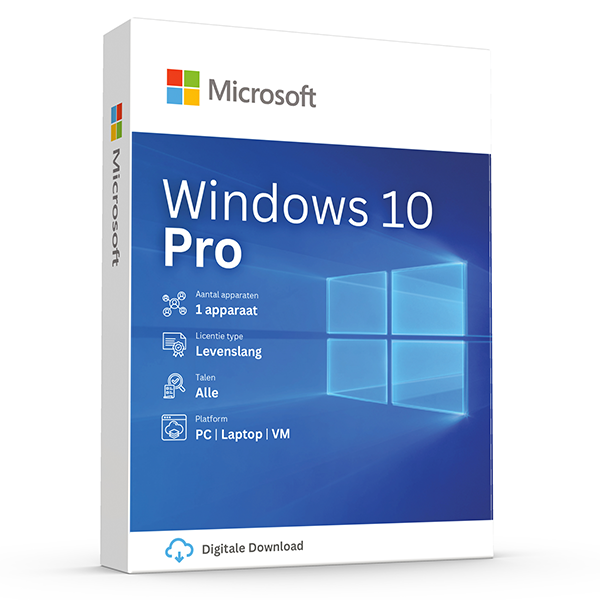
Windows 10 Pro
Retail · 1 PC · Lifetime
Mature, stable platform for legacy hardware.
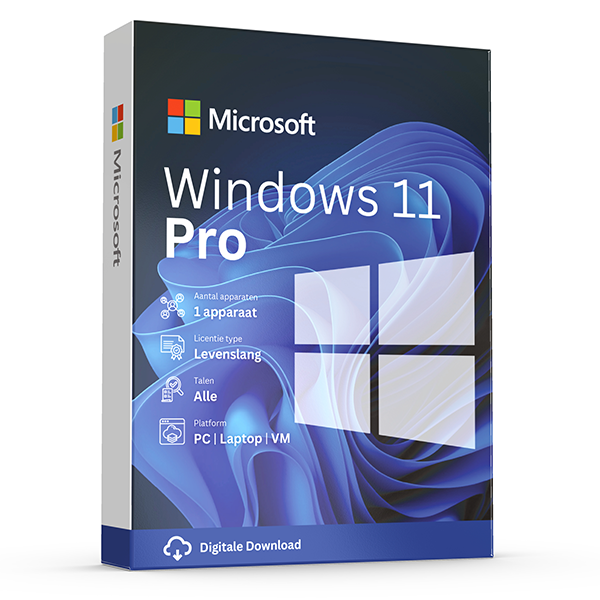
Windows 11 Pro
Retail · 1 PC · Lifetime
Professional edition with BitLocker, Hyper-V and Remote Desktop.
Questions fréquentes
Mon PC n'est pas pris en charge par Windows 11 — que faire ?
Restez sur Windows 10 (envisagez ESU pour les correctifs de sécurité), mettez à niveau le matériel, ou utilisez l'outil officiel de création de média Microsoft — mais Microsoft ne fournira pas de mises à jour fonctionnelles au matériel non pris en charge.
La mise à niveau de Win 10 vers Win 11 est-elle vraiment gratuite ?
Oui. Si votre licence Windows 10 est authentique, la mise à niveau sur place via Windows Update conserve votre activation. Aucune nouvelle clé n'est nécessaire.
Autres comparatifs
- Office 2024 vs Microsoft 365
Honest side-by-side: Office 2024 perpetual vs Microsoft 365 subscription. Price, features, cloud storage, updates, devices and who each suits.
- Office 2021 vs Office 2024
Every difference between Office 2021 and Office 2024 — new Excel functions, PowerPoint Cameo, Outlook overhaul, performance and pricing.
- Windows Server Standard vs Datacenter
Server 2022 Standard vs Datacenter — pricing, virtualization rights, Storage Spaces Direct, Shielded VMs and the 12-VM break-even rule.
- Office 2024 Home & Business vs Pro Plus
Office 2024 Home & Business vs Pro Plus: app lineup, commercial use rights, per-seat pricing and who each edition is built for.
- Microsoft 365 Personal vs Family
Microsoft 365 Personal vs Family: users, OneDrive storage, Copilot eligibility and the cost-per-person math that almost always favors Family.
- Windows 11 Home vs Pro
Windows 11 Home vs Pro: BitLocker, Hyper-V, Remote Desktop host, domain join and Group Policy. When the upgrade pays for itself.
- Visio 2024 vs Visio Plan 2
Visio Professional 2024 vs Visio Plan 2: data linking, Azure stencils, web editor, co-authoring and pricing over 3 years.
- Project 2024 vs Project Plan 3
Project Professional 2024 vs Project Plan 3: Gantt views, resource leveling, Project for the Web, Roadmap, Power BI integration and pricing.
- Office 2024 vs LibreOffice
Office 2024 vs LibreOffice in 2026: file compatibility, Excel features, performance, support and the real cost of going free.
- SQL Server 2022 Standard vs Enterprise
SQL Server 2022 Standard vs Enterprise: the 24-core and 128 GB ceilings, Always On, in-memory OLTP, and what each edition really costs per core.
- Office 2024 for Mac vs Windows
Office 2024 for Mac vs Windows: which apps ship, Outlook parity, Access & Publisher availability, and what's still better on Windows.
- Norton 360 Standard vs Deluxe
Norton 360 Standard vs Deluxe: devices covered, VPN, parental controls, cloud backup and how the price-per-device math works.
- Microsoft 365 Business Standard vs Premium
Microsoft 365 Business Standard vs Premium: Intune, Defender for Business, Entra ID P1, conditional access and the security upgrade case.
- Windows Server 2022 vs 2025
Windows Server 2022 vs 2025: hotpatching, SMB over QUIC, Active Directory updates, Hyper-V improvements, support timeline and licensing.
- Office LTSC 2024 vs Office Pro Plus 2024
Office LTSC 2024 vs Office Pro Plus 2024: licensing channel, feature set, KMS activation, Software Assurance and who each is built for.