Microsoft 365 Family — 6 users · 30 devices
6 users · 1 year · 30 devices
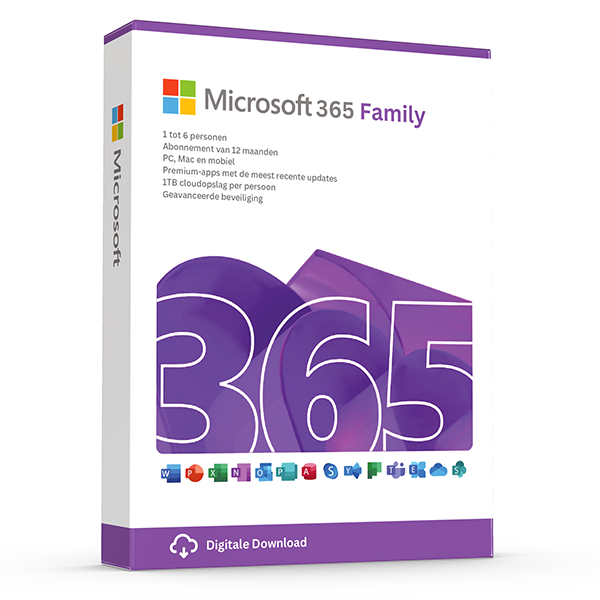
Premium Office for up to 6 people with 1 TB OneDrive each.
About this license
12 months of Microsoft 365 Family. Share with up to 6 people, each gets the latest Office apps, 1 TB OneDrive, and premium security features.
What's included
- Word, Excel, PowerPoint, Outlook, OneNote
- 1 TB OneDrive storage per user
- Microsoft Defender
- Outlook advanced security
- Skype calling minutes
System requirements
- Windows 10/11, macOS, iOS or Android
- Internet connection for activation
Frequently asked questions
Is this a genuine, legal license?
Yes. Every key we sell is a genuine Microsoft license, verified and registered against Microsoft's activation servers.
How fast will I receive my key?
Digital keys are delivered to your inbox within 30 minutes of payment, 7 days a week. A step-by-step install guide is included.
Is the license lifetime?
Perpetual licenses are valid for life on the device they're activated on. Subscriptions (Microsoft 365, Norton) renew yearly.
Do you offer support?
Yes — our team is reachable by email and live chat for installation help and activation issues until your software is up and running.
One-time payment · No subscription unless noted
View cart- Digital activation key within 1 hour
- Lifetime activation guarantee
- Step-by-step install guide included
Overview
The always-updated Office suite with 1 TB of OneDrive per user.
Microsoft 365 is the subscription model of the Office suite — the apps stay perpetually up to date, you get cloud storage and security features baked in, and your license follows you across every device you sign into. This is the right fit for households and individuals who want the latest features the moment Microsoft ships them, plus generous OneDrive storage for photos, documents, and backups.
Each subscription includes the full Office desktop apps (Word, Excel, PowerPoint, Outlook, OneNote) installed locally on Windows or macOS, the mobile versions on iOS and Android with full editing rights, and the web versions accessible from any browser. Everything stays in sync via your Microsoft account — start a document on your laptop, edit on your phone during your commute, finish on your tablet at home.
The 1 TB of OneDrive per user is often the single biggest reason customers pick Microsoft 365 over a perpetual Office license. It's more storage than most photo libraries, document archives, and project files combined, and it includes Personal Vault for sensitive items, versioning so you can roll back any file to a previous state, and ransomware detection that alerts you and helps you restore files if anything malicious touches your folders.
Why customers choose this license
Always the latest
New features appear in your apps the same day Microsoft ships them — no reinstall, no upgrade fee.
1 TB OneDrive per user
Enough cloud space for photos, documents, and project archives. Synced across every device automatically.
Up to 6 people
Family plans share the full benefits with five additional household members, each with their own private storage.
Premium security
Microsoft Defender, ransomware detection, and Personal Vault for sensitive files like passport scans and tax returns.
All devices included
Install on PCs, Macs, iPhones, iPads, and Androids — up to 5 simultaneous sign-ins per person.
Cancel any time
If you decide not to renew, your files stay safe in OneDrive at the free 5 GB tier — you just lose the premium quota and apps.
Price comparison
What you'd pay elsewhere for an equivalent license, in EUR.
Feature highlights
Designer and Editor
AI-assisted design suggestions in PowerPoint and intelligent grammar/clarity coaching in Word — exclusive to Microsoft 365.
Personal Vault
An extra-secured area inside OneDrive that requires a second factor each time you open it. Ideal for IDs, passports, tax filings.
Cross-platform sync
Start in Word on Windows, continue in Word on iPad, finish in Word on the web — same file, same place, no manual saving.
Family Safety
Screen-time limits, content filters, and location sharing for family members on the Family plan.
Microsoft 365 plans at a glance
| Feature | Personal | Family |
|---|---|---|
| Users included | 1 | Up to 6 |
| Devices per user | 5 | 5 |
| OneDrive storage | 1 TB | 1 TB per person |
| Word, Excel, PowerPoint, Outlook | ||
| Microsoft Defender | ||
| Outlook advanced security | ||
| Skype call minutes | 60/mo | 60/mo per user |
| Best for | Solo users | Households |
How activation works
From checkout to a fully activated install in under 30 minutes.
1. Receive your key
Within 30 minutes of payment, your product key and download link arrive by email — even outside business hours.
2. Download the installer
Click the official Microsoft (or Norton) download link in the email. The ISO or installer comes straight from the vendor — never from a third-party mirror.
3. Install the software
Run the installer and follow the on-screen prompts. The full install takes 5–15 minutes depending on your internet speed and disk performance.
4. Activate your license
Paste the product key into the activation dialog when prompted. Activation completes in under a minute and stays valid for the lifetime of the device.
5. Verify and update
Open the app, check the licence status in the account/about dialog, then let it pull the latest cumulative updates from Microsoft. You're done.
Version history
Major releases in this product line, newest first.
Current ChannelLatest
RollingContinuously updated. Latest Copilot features, new Excel functions, Loop components, Teams integration, OneDrive enhancements.
Monthly Enterprise
MonthlyPredictable monthly updates on the second Tuesday. Same features as Current Channel, scheduled cadence.
Semi-Annual Enterprise
Twice yearlyFeature updates in January and July with extended testing window. Ideal for managed deployments.
100% genuine — or your money back
Subscriptions are activated through your own Microsoft account, with you remaining the legal owner and primary administrator. No shared accounts, no rebranded family pools, no risk of the licence being yanked out from under you.
More questions, answered
Does the price stay this low forever?
Promotional pricing varies. The amount you pay at checkout is the only amount you'll ever be charged for this license — perpetual products have no recurring cost. Subscription products (Microsoft 365, Norton) renew at the prevailing rate after one year unless you cancel.
Can I install on a Mac and a PC?
Perpetual Office Pro Plus licenses are Windows-only. For Mac support, choose an Office Home & Business edition or a Microsoft 365 subscription — both include macOS installs. Windows licenses naturally only run on Windows; for Mac, you'd virtualize Windows with Parallels or similar.
What happens if my computer breaks?
Retail licenses are transferable. Sign in to your Microsoft account, deactivate the license on the old device, then activate on the new device using the same key. Our support team helps with the transfer free of charge.
Do you offer invoices for businesses?
Yes — every order is invoiced automatically with VAT details. If you need a custom company name, VAT number, or PO reference on the invoice, reply to the order confirmation and we'll re-issue within one business day.
Related licenses
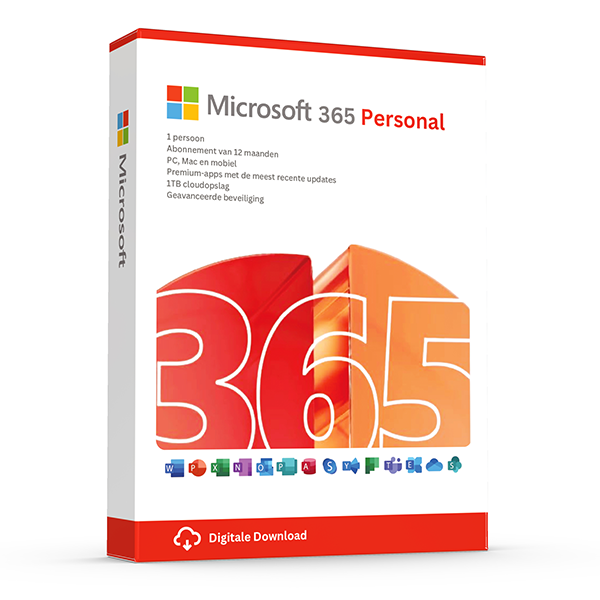
Microsoft 365 Personal — 1 user · 5 devices
1 user · 1 year · 5 devices
Premium Office and 1 TB OneDrive for one person.
Microsoft 365 Business Standard — 1 user
1 user · 1 year · 5 devices
Business email, Office apps and 1 TB OneDrive for one user.
Microsoft 365 Business Premium — 1 user
1 user · 1 year · 5 devices
Business Standard + Intune device management and Defender for Business.