Visio Professional 2024
Perpetual · 1 PC · Windows
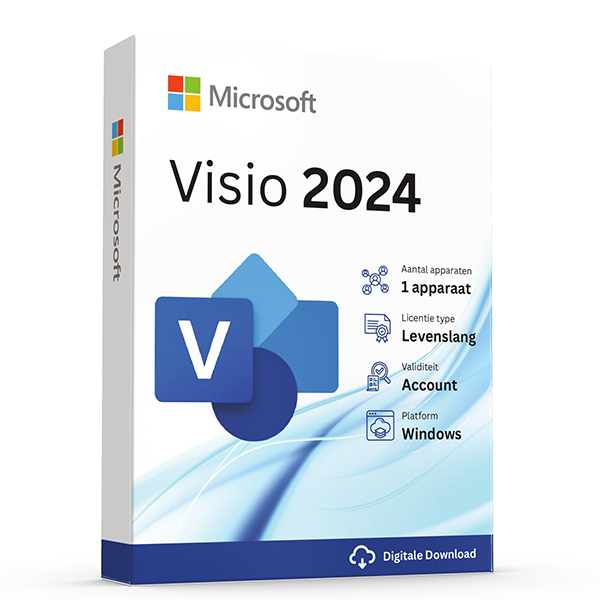
Diagrams, flowcharts and process maps the professional way.
About this license
Visio Professional 2024 brings hundreds of templates and shape libraries for flowcharts, network maps, floor plans, BPMN diagrams and more.
Visio Professional 2024 is the desktop app of choice for IT, engineering and operations teams that need to communicate visually.
Snap together AWS, Azure or network shapes, link diagrams to live data, and co-author with colleagues in real time.
System requirements
- Windows 10 or Windows 11 (64-bit recommended)
- 1.6 GHz dual-core processor or faster
- 4 GB RAM (2 GB for 32-bit)
- 4 GB available disk space
- Internet connection for activation
Frequently asked questions
Is this a genuine, legal license?
Yes. Every key we sell is a genuine Microsoft license, verified and registered against Microsoft's activation servers.
How fast will I receive my key?
Digital keys are delivered to your inbox within 30 minutes of payment, 7 days a week. A step-by-step install guide is included.
Is the license lifetime?
Perpetual licenses are valid for life on the device they're activated on. Subscriptions (Microsoft 365, Norton) renew yearly.
Do you offer support?
Yes — our team is reachable by email and live chat for installation help and activation issues until your software is up and running.
One-time payment · No subscription unless noted
View cart- Digital key emailed within 30 minutes
- Lifetime activation guarantee
- Step-by-step install guide included
Overview
Diagrams, flowcharts, and architecture maps the professional way.
Visio is Microsoft's flagship diagramming app, and Professional is the edition built for IT and operations teams that need to communicate complex systems visually. Whether you're documenting a network topology, mapping a business process in BPMN 2.0, drafting an electrical schematic, or producing a floor plan for an office relocation, Visio has the templates and stencils to do it precisely.
Visio Professional ships with hundreds of pre-built shape libraries — AWS and Azure architecture icons, Cisco network shapes, UML class diagrams, ITIL service workflows, mind maps, organisational charts, and more. Shapes snap to grids, connectors automatically reroute when you move boxes, and the data-linking features let you pull live values from Excel or SharePoint and surface them inside the diagram.
The perpetual license you're buying activates the full Pro edition on one Windows PC. You get every shape library, every template, the co-authoring features for working with colleagues in real time, and export to PDF, PNG, SVG, and even web-embeddable formats. No subscription, no recurring charges — own it once.
Why customers choose this license
Hundreds of templates
BPMN, UML, network maps, floor plans, electrical, mind maps, org charts — every common diagram type has a starter template.
AWS and Azure stencils
Official Microsoft and Amazon icon sets, kept current with the actual cloud service catalogues.
Data-linked diagrams
Pull live numbers from Excel or SharePoint and surface them inside shapes — colour-code by status, size by KPI.
Smart connectors
Move a box and connectors reroute automatically. Add an item and the layout reflows. No more manual line-fixing.
Co-authoring
Multiple team members can edit the same diagram simultaneously — see each other's cursors in real time.
Multi-format export
Export to PDF, PNG, SVG, or embeddable web — perfect for documentation sites and architecture reviews.
Price comparison
What you'd pay elsewhere for an equivalent license, in EUR.
Feature highlights
Process mining ready
Designed to consume process-mining output from tools like Microsoft Process Mining and Celonis for as-built workflow visualisation.
Visio in Teams
Embed live diagrams into Teams channels and tabs — comments stay inside the diagram, not lost in chat.
Floor plans with measurements
Real-world units, scales, and dimensions — drop in furniture stencils that match real catalogue dimensions.
Industrial templates
P&ID, electrical schematics, rack diagrams, and engineering schemas — the templates engineers and ops teams actually need.
Visio Standard vs Visio Professional
| Feature | Standard | Professional (this product) |
|---|---|---|
| Basic flowchart templates | ||
| BPMN 2.0 | ||
| UML 2.5 templates | ||
| AWS / Azure icon sets | ||
| Detailed network diagrams | ||
| Database modelling | ||
| Data linking | Basic | Full |
| ITIL workflow templates |
How activation works
From checkout to a fully activated install in under 30 minutes.
1. Receive your key
Within 30 minutes of payment, your product key and download link arrive by email — even outside business hours.
2. Download the installer
Click the official Microsoft (or Norton) download link in the email. The ISO or installer comes straight from the vendor — never from a third-party mirror.
3. Install the software
Run the installer and follow the on-screen prompts. The full install takes 5–15 minutes depending on your internet speed and disk performance.
4. Activate your license
Paste the product key into the activation dialog when prompted. Activation completes in under a minute and stays valid for the lifetime of the device.
5. Verify and update
Open the app, check the licence status in the account/about dialog, then let it pull the latest cumulative updates from Microsoft. You're done.
Version history
Major releases in this product line, newest first.
Visio 2024Latest
October 2024New stencils for cloud architectures, modernized templates, improved co-authoring, accessibility checker.
Visio 2021
October 2021AWS shapes refresh, modern data linking, improved Azure stencils, sketched effects.
Visio 2019
September 2018Modern shapes for org charts and BPMN 2.0, AWS stencils, improved templates, simplified ribbon.
100% genuine — or your money back
Genuine Microsoft Visio Professional key, sourced through authorised channels and verified before delivery. Activates online via your Microsoft account and remains valid for life.
More questions, answered
Does the price stay this low forever?
Promotional pricing varies. The amount you pay at checkout is the only amount you'll ever be charged for this license — perpetual products have no recurring cost. Subscription products (Microsoft 365, Norton) renew at the prevailing rate after one year unless you cancel.
Can I install on a Mac and a PC?
Perpetual Office Pro Plus licenses are Windows-only. For Mac support, choose an Office Home & Business edition or a Microsoft 365 subscription — both include macOS installs. Windows licenses naturally only run on Windows; for Mac, you'd virtualize Windows with Parallels or similar.
What happens if my computer breaks?
Retail licenses are transferable. Sign in to your Microsoft account, deactivate the license on the old device, then activate on the new device using the same key. Our support team helps with the transfer free of charge.
Do you offer invoices for businesses?
Yes — every order is invoiced automatically with VAT details. If you need a custom company name, VAT number, or PO reference on the invoice, reply to the order confirmation and we'll re-issue within one business day.
Related licenses
Visio Standard 2024
Perpetual · 1 PC · Windows
Core Visio diagramming for non-technical users.
Visio Standard 2021
Perpetual · 1 PC · Windows
Mature Visio Standard release at a steep discount.
Visio Professional 2021
Perpetual · 1 PC · Windows
Pro Visio with AWS / Azure stencils and data linking.