Windows 11 Pro
Retail · 1 PC · Lifetime
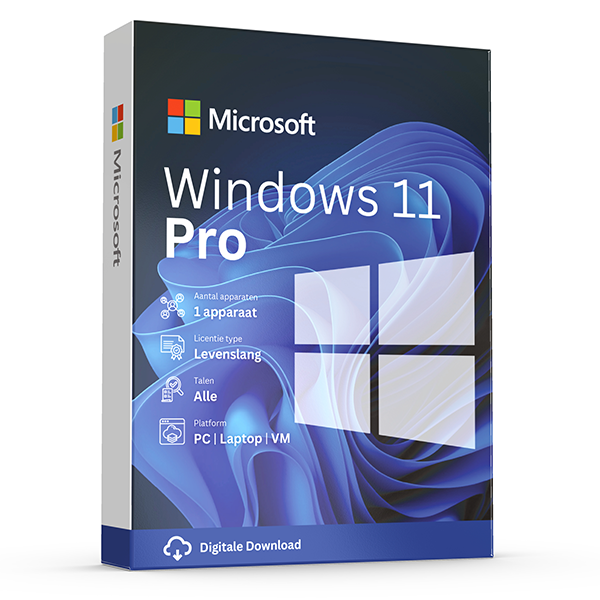
Professional edition with BitLocker, Hyper-V and Remote Desktop.
About this license
Genuine Windows 11 Pro retail license. The right pick for power users and businesses — includes BitLocker drive encryption, Hyper-V virtualization, Remote Desktop host, and Active Directory join.
Windows 11 Pro builds on the Home edition with everything a professional or small-business user needs: drive-level BitLocker encryption, virtualization with Hyper-V, hosting incoming Remote Desktop connections and joining a corporate Active Directory or Azure AD.
Activation is lifetime and tied to your Microsoft account so you can transfer the license to a new PC down the road.
System requirements
- 1 GHz or faster compatible 64-bit processor
- 4 GB RAM (Home) / 4 GB RAM (Pro) minimum
- 64 GB available storage
- UEFI, Secure Boot capable, TPM 2.0 (Windows 11)
- DirectX 12 compatible graphics with WDDM 2.x driver
Frequently asked questions
Is this a genuine, legal license?
Yes. Every key we sell is a genuine Microsoft license, verified and registered against Microsoft's activation servers.
How fast will I receive my key?
Digital keys are delivered to your inbox within 30 minutes of payment, 7 days a week. A step-by-step install guide is included.
Is the license lifetime?
Perpetual licenses are valid for life on the device they're activated on. Subscriptions (Microsoft 365, Norton) renew yearly.
Do you offer support?
Yes — our team is reachable by email and live chat for installation help and activation issues until your software is up and running.
One-time payment · No subscription unless noted
View cart- Digital key emailed within 30 minutes
- Lifetime activation guarantee
- Step-by-step install guide included
Overview
Genuine retail Windows — clean, activated, transferable.
A fresh, clean Windows install on a properly licensed copy of the operating system makes everything else on your computer faster, safer, and more reliable. This product is a genuine Microsoft Windows retail license — the same SKU sold through the Microsoft Store, but delivered electronically so it lands in your inbox within minutes instead of arriving as a boxed USB key.
Retail licenses are transferable. If you upgrade your computer in two years' time, you can deactivate the license on the old machine and reactivate it on the new one — something OEM keys (the kind preinstalled on supermarket laptops) explicitly do not allow. That portability alone usually justifies the price difference over a no-name OEM key.
Every key is checked against Microsoft's activation database before delivery and ships with a step-by-step PDF guide that walks you through downloading the official Microsoft ISO, creating bootable installation media, and activating after the install completes. If anything goes wrong, our support team troubleshoots the activation directly with you until the system reads as Genuine.
Why customers choose this license
Retail, not OEM
Transferable to a new computer. OEM keys (the ones preinstalled on supermarket PCs) are locked to the original motherboard forever.
Lifetime activation
Once activated, the license is valid for the lifetime of the device — no renewals, no expiry, no surprise deactivations.
Free security updates
Receives the full stream of Windows Update — security patches, driver updates, feature releases, the works.
All languages
Install in any of the 100+ languages Microsoft ships. Switch the system language any time without buying a new key.
Microsoft account link
Bind the license to your Microsoft account so reinstalls and hardware swaps trigger automatic reactivation.
Genuine validation
Passes Windows Genuine Advantage checks. Eligible for support directly from Microsoft if you ever need it.
Price comparison
What you'd pay elsewhere for an equivalent license, in EUR.
Feature highlights
Snap Layouts
Drop windows into preset multi-pane layouts with a single hover. Combined with virtual desktops, you can run a full focus mode per project.
BitLocker
Full-disk encryption protects everything on your SSD against laptop theft and unauthorised access. Pro editions only.
Remote Desktop
Connect to and from your PC from anywhere. Pro lets the PC host inbound RDP sessions — Home is client-only.
Hyper-V
Built-in virtualization for running Linux distros, test versions of Windows, or sandboxed apps without third-party software.
Retail vs OEM vs Volume
| Feature | This license (Retail) | OEM (preinstalled) | Volume / MAK |
|---|---|---|---|
| Transferable to new PC | |||
| Free Microsoft updates | |||
| Linked to Microsoft account | Sometimes | ||
| Direct Microsoft support | Limited | ||
| Activation method | Online | Online | KMS server |
| Reactivation after upgrade | Often fails | ||
| Lifetime validity |
How activation works
From checkout to a fully activated install in under 30 minutes.
1. Receive your key
Within 30 minutes of payment, your product key and download link arrive by email — even outside business hours.
2. Download the installer
Click the official Microsoft (or Norton) download link in the email. The ISO or installer comes straight from the vendor — never from a third-party mirror.
3. Install the software
Run the installer and follow the on-screen prompts. The full install takes 5–15 minutes depending on your internet speed and disk performance.
4. Activate your license
Paste the product key into the activation dialog when prompted. Activation completes in under a minute and stays valid for the lifetime of the device.
5. Verify and update
Open the app, check the licence status in the account/about dialog, then let it pull the latest cumulative updates from Microsoft. You're done.
Version history
Major releases in this product line, newest first.
Windows 11 24H2Latest
October 2024Copilot+ features, expanded Voice Clarity, Wi-Fi 7, Sudo for Windows, refreshed File Explorer, improved energy efficiency.
Windows 11 23H2
October 2023Copilot preview, redesigned File Explorer, Dev Drive, native RAR/7z support, taskbar ungrouping options returned.
Windows 11 22H2
September 2022Snap Layouts, Start menu folders, drag-to-pin on taskbar, Voice Access, Smart App Control, new Task Manager.
Windows 10 22H2
October 2022Final feature update for Windows 10. Security updates supported until October 2025.
100% genuine — or your money back
Every Windows license is a genuine retail SKU validated against Microsoft's activation database before delivery. We never sell volume-license keys, KMS server activations, or pre-activated ISOs. If a license ever fails to activate, we replace it free of charge.
More questions, answered
Does the price stay this low forever?
Promotional pricing varies. The amount you pay at checkout is the only amount you'll ever be charged for this license — perpetual products have no recurring cost. Subscription products (Microsoft 365, Norton) renew at the prevailing rate after one year unless you cancel.
Can I install on a Mac and a PC?
Perpetual Office Pro Plus licenses are Windows-only. For Mac support, choose an Office Home & Business edition or a Microsoft 365 subscription — both include macOS installs. Windows licenses naturally only run on Windows; for Mac, you'd virtualize Windows with Parallels or similar.
What happens if my computer breaks?
Retail licenses are transferable. Sign in to your Microsoft account, deactivate the license on the old device, then activate on the new device using the same key. Our support team helps with the transfer free of charge.
Do you offer invoices for businesses?
Yes — every order is invoiced automatically with VAT details. If you need a custom company name, VAT number, or PO reference on the invoice, reply to the order confirmation and we'll re-issue within one business day.
Related licenses
Windows 11 Home
Retail · 1 PC · Lifetime
For everyday personal computing.
Windows 10 Pro
Retail · 1 PC · Lifetime
Mature, stable platform for legacy hardware.
Windows 10 Home
Retail · 1 PC · Lifetime
The original Windows 10 for personal computing.