Guía de compra
· 5 min de lectura· Actualizada el 2026-04-22Microsoft 365 Family frente a Personal
M365 Personal cubre a un usuario. Family cubre a seis e incluye 6 TB de OneDrive agrupado. El cálculo, las condiciones y cuál debería comprar.
- Microsoft 365
- Comparativa

Cuándo Family es la opción evidente
Si dos o más personas de su hogar van a usar Office, el correo o OneDrive, Family es más económica por usuario desde el primer día.
- Personal (1 usuario)€69
- Family ÷ 2 usuarios€50 · todavía más barata que Personal
- Family ÷ 4 usuarios€25
- Family ÷ 6 usuarios€17
La letra pequeña de Family que la mayoría pasa por alto
Los 6 «usuarios» deben tener cada uno una cuenta Microsoft diferente. No tienen por qué ser familiares suyos ni vivir con usted — simplemente envíe invitaciones.
El almacenamiento es por usuario, no compartido: cada uno dispone de su propio silo de 1 TB. Los archivos pueden compartirse entre los miembros, pero las cuotas no se combinan.
- · Hasta 6 cuentas Microsoft (de cualquier país).
- · Cada usuario dispone de Word/Excel/PPT/Outlook completos en 5 dispositivos.
- · Cada usuario recibe 1 TB de OneDrive (6 TB en total).
- · Cada usuario recibe 60 minutos de Skype al mes (función heredada).
- · Controles de Family Safety incluidos.
Cuándo Personal sigue siendo la mejor opción
Usuarios que realmente van solos con un presupuesto de un PC — Personal le ahorra €30 al año y evita el riesgo de que los cupos de familia queden sin usar.
Personal frente a Family
Pros
- Entrada más económica a M365
- 1 TB de OneDrive
- Todas las apps de M365 + Copilot Chat
Cons
- Sin plaza para un segundo usuario
- Mismas funciones por usuario a mayor €/puesto que Family
Preguntas frecuentes
- ¿Puedo compartir Family con amigos?
- Sí. Las condiciones de Microsoft permiten hasta 6 cuentas en cualquier combinación. Muchos usuarios dividen la cuota de €99 entre amigos.
- ¿Qué ocurre si el organizador de familia se da de baja?
- Los 5 miembros invitados pierden el acceso en la renovación. Disponen de un período de gracia de 30 días para transferir sus archivos de OneDrive.
Licencias recomendadas
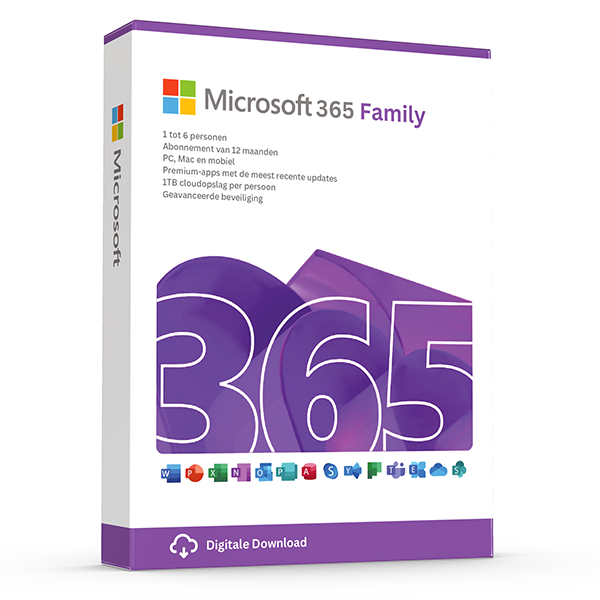
Microsoft 365 Family — 6 users · 30 devices
6 users · 1 year · 30 devices
Premium Office for up to 6 people with 1 TB OneDrive each.
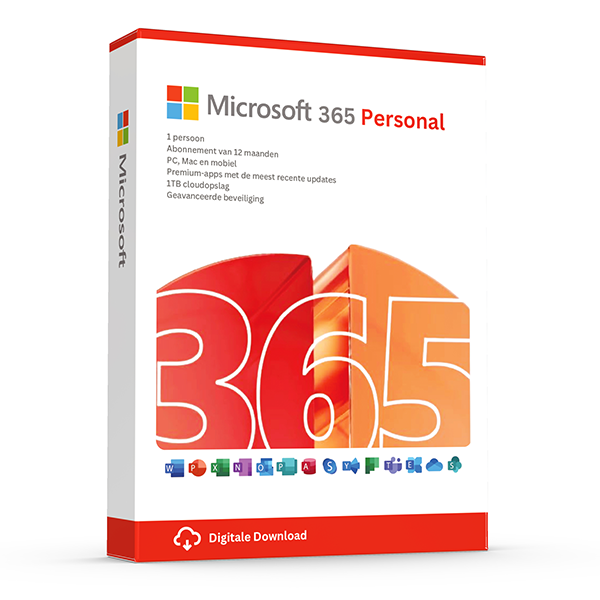
Microsoft 365 Personal — 1 user · 5 devices
1 user · 1 year · 5 devices
Premium Office and 1 TB OneDrive for one person.
Guías relacionadas
- Office 2024 vs Microsoft 365 — which is better?
Head-to-head comparison of Office 2024 (one-time purchase) and Microsoft 365 (subscription) — total cost of ownership, cloud storage, multi-device support and feature differences.
- Which Office version should you buy?
Office 2021, 2024 or Microsoft 365? A practical guide to picking the right Office edition by use case, hardware and budget.
Todas las guías
- Which Office version should you buy?
Office 2021, 2024 or Microsoft 365? A practical guide to picking the right Office edition by use case, hardware and budget.
- Windows Server licensing — the plain-English guide
Cores, CALs, Standard vs Datacenter, virtualization rights — Windows Server licensing demystified with real-world examples.
- SQL Server — Server+CAL vs Per-Core
Decide between SQL Server's two licensing models with a clear break-even calculation and worked examples.
- OEM vs Retail Windows keys
OEM Windows keys are cheap but tied to one motherboard. Retail keys are transferable. Here's exactly what changes and which you should buy.
- How to activate Windows 11
Step-by-step guide to activating Windows 11 with a retail product key — fresh install, upgrade from Windows 10, troubleshooting.
- How to install Office 2024
Complete step-by-step guide to installing Office 2024 from your product key, including the Office Deployment Tool route for Pro Plus.
- Office 2024 vs Microsoft 365 — which is better?
Head-to-head comparison of Office 2024 (one-time purchase) and Microsoft 365 (subscription) — total cost of ownership, cloud storage, multi-device support and feature differences.
- Windows 10 vs Windows 11 — upgrade decision guide
Windows 10 hit end-of-support in October 2025. Here's whether to upgrade in-place, buy a Windows 11 key, or stay on 10 with ESU.
- Windows 11 Home vs Pro — the honest comparison
BitLocker, Hyper-V, Remote Desktop, domain join — the seven Pro-only features that decide whether you should pay the upgrade.
- Office 2024 vs Office 2021
Three years of feature backports separate Office 2024 from Office 2021. Here's what's actually new and whether the price gap justifies the jump.
- SQL Server Standard vs Enterprise
Enterprise costs roughly 4× Standard. The features that justify the gap are narrow but important. Decide with our cheat sheet.
- Best Office for students in 2026
Free Microsoft 365 from your university, perpetual Office 2024 Home & Student, or LibreOffice — the right pick by budget and degree.
- Transfer your Windows license to a new PC
Move your retail Windows 10 or 11 key to a new computer in 10 minutes — deactivate the old PC, link to your Microsoft account, reactivate on the new hardware.
- Fix activation error 0x80072F8F
Error 0x80072F8F means Windows can't reach Microsoft's activation servers over TLS. Here's exactly how to fix the root cause in 5 minutes.
- Office Deployment Tool walkthrough
Use the Office Deployment Tool (ODT) to install Office 2024 with the exact apps, language and update channel you need. Full XML reference inside.
- Windows 11 TPM bypass: the real risks
You can install Windows 11 on unsupported hardware by bypassing TPM 2.0 and Secure Boot — here are the real risks Microsoft warns about.
- Choose a Microsoft 365 Business plan
Microsoft sells four Business plans. Here's the decision tree, real per-user prices and the security cliff between Standard and Premium.
- Back up your Windows product key
Recover your Windows 10/11 product key from the registry, BIOS or Microsoft account — and save a copy somewhere safer than the sticker on the laptop.
- Uninstall old Office cleanly before Office 2024
Office 2016, 2019, 2021 and Microsoft 365 can leave activation conflicts when you install Office 2024. Here's the clean-uninstall procedure that always works.
- Upgrade to Windows Server 2025
Supported in-place upgrade paths to Windows Server 2025, the version-skip rules, downtime expectations and rollback options.
- Set up Outlook 2024 with IMAP
Add a Gmail, iCloud or generic IMAP account to Outlook 2024 in under 5 minutes — including the app-password workaround Google and Apple now require.
- Enable BitLocker on Windows 11 Pro
Turn on BitLocker drive encryption without losing your data — pre-flight checks, the TPM-only vs PIN modes, and recovery-key best practices.
- Activate Office without internet
No internet on the target PC? Activate Office 2024 (or any perpetual Office) by phone using the Microsoft activation IVR. Step-by-step.
- Windows 10 Extended Security Updates
Windows 10 reached end-of-support in October 2025. Extended Security Updates buys 1–3 more years of patches. Here's the price, the rules and the alternatives.
- Should you buy Visio 2024 or subscribe to Visio?
Compare Visio Standard and Professional 2024 with Visio Plan 1 and Plan 2, including desktop apps, collaboration, licensing and practical buying checks.
- Should you choose Project 2024 or a Microsoft Planner plan?
Compare Project 2024 with Microsoft Planner subscriptions, understand Project Online's retirement, and choose the right scheduling tools for your team.
- How does Office 2024 for Mac differ from Office 2024 for Windows?
Compare Office 2024 for Mac and Windows by app, feature and licence type, then check platform compatibility before buying an emailed Microsoft product key.
- How can you distinguish genuine Microsoft resale licences from scams?
Learn how to assess Microsoft key sellers, EU resale rights, activation evidence and refund terms, with practical checks before and after your purchase.