Guía de compra
· 7 min de lectura· Actualizada el 2026-05-18Elija un plan de Microsoft 365 Business
Microsoft ofrece cuatro planes Business. Aquí encontrará el árbol de decisión, los precios reales por usuario y la diferencia de seguridad entre Standard y Premium.
- Microsoft 365
- Empresas
- Guía de compra
Los cuatro planes en una sola página
| Función | Basic | Apps | Standard | Premium |
|---|---|---|---|---|
| Apps de Office de escritorio | — | ✓ | ✓ | ✓ |
| Exchange (buzón de 50 GB) | ✓ | — | ✓ | ✓ |
| SharePoint + OneDrive (1 TB) | ✓ | — | ✓ | ✓ |
| Microsoft Teams (complemento) | ✓ | — | ✓ | ✓ |
| Defender for Business | — | — | — | ✓ |
| Intune (gestión de dispositivos) | — | — | — | ✓ |
| Entra ID P1 (Acceso condicional) | — | — | — | ✓ |
| Máx. usuarios | 300 | 300 | 300 | 300 |
| Por usuario/mes (anual) | ~€6 | ~€9 | ~€12 | ~€21 |
Árbol de decisión
- · ¿Necesita Office de escritorio? No → Basic. Sí → continúe.
- · ¿Necesita Exchange/Teams/SharePoint? No (usa Gmail/Slack) → Apps for Business.
- · ¿Gestiona datos personales de clientes, pagos o datos regulados? No → Standard. Sí → Premium.
- · ¿Más de 300 usuarios? Ha superado los planes Business — pase a Microsoft 365 E3/E5 Enterprise.
El salto de Standard a Premium
Pasar de Standard (€12) a Premium (€21) casi duplica el precio, pero obtiene tres productos de seguridad que costarían mucho más por separado:
- · Defender for Business: ~€3/usuario/mes de forma independiente.
- · Intune: ~€8/usuario/mes de forma independiente.
- · Entra ID P1: ~€6/usuario/mes de forma independiente.
- · Valor incluido en Premium ≈ €17/usuario/mes equivalente — Premium es un descuento, no un sobreprecio.
Preguntas frecuentes
- ¿Puedo añadir Copilot a un plan Business?
- Sí. Copilot para Microsoft 365 (€28/usuario/mes) es un complemento que funciona con los planes Business Standard, Premium y Apps for Business.
Licencias recomendadas
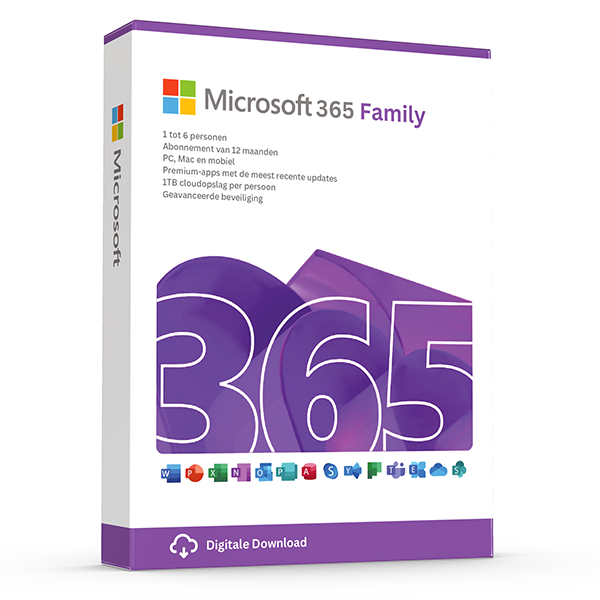
Microsoft 365 Family — 6 users · 30 devices
6 users · 1 year · 30 devices
Premium Office for up to 6 people with 1 TB OneDrive each.
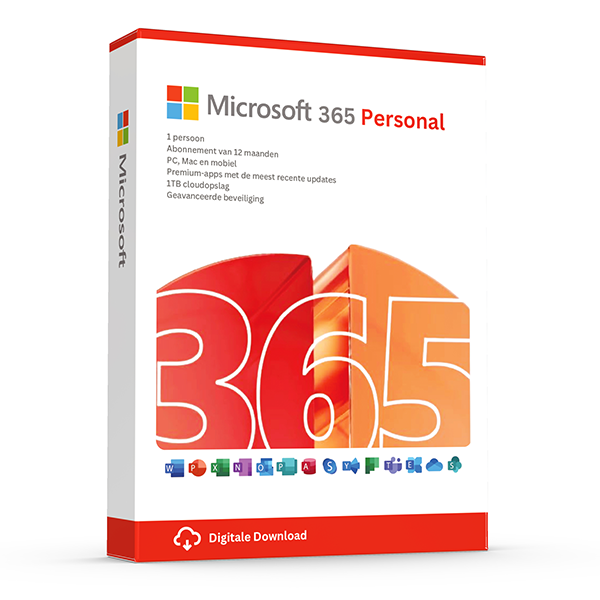
Microsoft 365 Personal — 1 user · 5 devices
1 user · 1 year · 5 devices
Premium Office and 1 TB OneDrive for one person.
Guías relacionadas
Todas las guías
- Which Office version should you buy?
Office 2021, 2024 or Microsoft 365? A practical guide to picking the right Office edition by use case, hardware and budget.
- Windows Server licensing — the plain-English guide
Cores, CALs, Standard vs Datacenter, virtualization rights — Windows Server licensing demystified with real-world examples.
- SQL Server — Server+CAL vs Per-Core
Decide between SQL Server's two licensing models with a clear break-even calculation and worked examples.
- OEM vs Retail Windows keys
OEM Windows keys are cheap but tied to one motherboard. Retail keys are transferable. Here's exactly what changes and which you should buy.
- How to activate Windows 11
Step-by-step guide to activating Windows 11 with a retail product key — fresh install, upgrade from Windows 10, troubleshooting.
- How to install Office 2024
Complete step-by-step guide to installing Office 2024 from your product key, including the Office Deployment Tool route for Pro Plus.
- Office 2024 vs Microsoft 365 — which is better?
Head-to-head comparison of Office 2024 (one-time purchase) and Microsoft 365 (subscription) — total cost of ownership, cloud storage, multi-device support and feature differences.
- Windows 10 vs Windows 11 — upgrade decision guide
Windows 10 hit end-of-support in October 2025. Here's whether to upgrade in-place, buy a Windows 11 key, or stay on 10 with ESU.
- Windows 11 Home vs Pro — the honest comparison
BitLocker, Hyper-V, Remote Desktop, domain join — the seven Pro-only features that decide whether you should pay the upgrade.
- Office 2024 vs Office 2021
Three years of feature backports separate Office 2024 from Office 2021. Here's what's actually new and whether the price gap justifies the jump.
- Microsoft 365 Family vs Personal
M365 Personal covers one user. Family covers six and includes 6 TB of pooled OneDrive. The math, the catches and which you should buy.
- SQL Server Standard vs Enterprise
Enterprise costs roughly 4× Standard. The features that justify the gap are narrow but important. Decide with our cheat sheet.
- Best Office for students in 2026
Free Microsoft 365 from your university, perpetual Office 2024 Home & Student, or LibreOffice — the right pick by budget and degree.
- Transfer your Windows license to a new PC
Move your retail Windows 10 or 11 key to a new computer in 10 minutes — deactivate the old PC, link to your Microsoft account, reactivate on the new hardware.
- Fix activation error 0x80072F8F
Error 0x80072F8F means Windows can't reach Microsoft's activation servers over TLS. Here's exactly how to fix the root cause in 5 minutes.
- Office Deployment Tool walkthrough
Use the Office Deployment Tool (ODT) to install Office 2024 with the exact apps, language and update channel you need. Full XML reference inside.
- Windows 11 TPM bypass: the real risks
You can install Windows 11 on unsupported hardware by bypassing TPM 2.0 and Secure Boot — here are the real risks Microsoft warns about.
- Back up your Windows product key
Recover your Windows 10/11 product key from the registry, BIOS or Microsoft account — and save a copy somewhere safer than the sticker on the laptop.
- Uninstall old Office cleanly before Office 2024
Office 2016, 2019, 2021 and Microsoft 365 can leave activation conflicts when you install Office 2024. Here's the clean-uninstall procedure that always works.
- Upgrade to Windows Server 2025
Supported in-place upgrade paths to Windows Server 2025, the version-skip rules, downtime expectations and rollback options.
- Set up Outlook 2024 with IMAP
Add a Gmail, iCloud or generic IMAP account to Outlook 2024 in under 5 minutes — including the app-password workaround Google and Apple now require.
- Enable BitLocker on Windows 11 Pro
Turn on BitLocker drive encryption without losing your data — pre-flight checks, the TPM-only vs PIN modes, and recovery-key best practices.
- Activate Office without internet
No internet on the target PC? Activate Office 2024 (or any perpetual Office) by phone using the Microsoft activation IVR. Step-by-step.
- Windows 10 Extended Security Updates
Windows 10 reached end-of-support in October 2025. Extended Security Updates buys 1–3 more years of patches. Here's the price, the rules and the alternatives.